
SuperHotOpp Review
Smart Ad Rotator, Advertising Minutes, Commissions & EZEngine Setup
What if your advertising could do more than simply display your links? SuperHotOpp combines a Smart Ad Rotator, advertising minutes, and an affiliate program into one advertising platform. And with EZEngine handling the routine setup, it becomes another interesting piece of our automated traffic strategy.
Affiliate link — I may earn commissions if you purchase through my referral link.
🌟 What Is SuperHotOpp?
SuperHotOpp is an advertising and affiliate platform created by Maryanne Myers. Its central feature is a Smart Ad Rotator that displays member advertisements and gives members a way to promote their own websites, offers, and affiliate links.
What makes the platform particularly interesting for our purposes is its advertising-minutes system. Instead of treating advertising as a completely separate activity, members can earn minutes that help their advertisements receive exposure. The idea is to build up advertising time through participation and referrals, then use that time to keep your promotions circulating.
That’s where EZEngine comes into the picture.
Rather than manually managing every advertising task, we can configure our account with two important promotional links and allow EZEngine to handle the ongoing work described in our setup system. This gives us another way to promote our business while building a referral position in the program.
💡 The Big Idea
SuperHotOpp provides advertising exposure and an affiliate opportunity. EZEngine helps automate the promotional activity by displaying your co-op link and introducing new members. The goal is to make the platform another working part of a larger traffic and referral system.
⭐ SuperHotOpp Features Worth Exploring
Smart Ad Rotator
A rotating advertising display designed to give member promotions exposure across the platform.
Advertising Minutes
Members build advertising time through participation and referrals, giving them another resource for promoting their offers.
Affiliate Commissions
The program describes commissions on qualifying upgrades, including subscription and lifetime options. Check the current compensation terms before purchasing.
Visual Advertising
Use button banners and headlines to make your promotions more noticeable and give visitors a reason to investigate.
🎨 A Smart Rotator With Special Effects
The SuperHotOpp signup page currently promotes its Smart Ad Rotator and highlights special effects designed to make advertisements stand out. The landing page also advertises an introductory advertising-time offer for new members. These promotional details can change, so check the current registration page for what is available when you join.
The important distinction is that advertising exposure is not the same thing as guaranteed website visitors, leads, or sales. A good headline and a relevant destination page still matter. The rotator gives your advertisement an opportunity to be seen; what happens after someone clicks depends on your offer and landing page.
⏱️ How the Advertising-Minutes System Works
Advertising minutes are central to the way SuperHotOpp is designed to operate. Members use the platform’s advertising system to build up time that can be used to display their promotions.
There are two parts of our EZEngine setup that are particularly relevant:
1. Your Co-op Advertising Link
One of the advertisements we configure points to your EZEngine launch rotator. This is the page where visitors can learn about the broader system and explore the opportunity.
As EZEngine displays the co-op link through its promotional activity, it helps you participate in the advertising-minutes system without having to manually manage every appearance.
2. Your SuperHotOpp Referral Link
The second advertisement points directly to your SuperHotOpp referral page. This gives interested visitors a direct route to register under you.
When new members join through your referral link, they can become part of your growing network. According to the supplied EZEngine setup instructions, referrals can also contribute to the advertising-minute activity.
📌 Why This Matters
Instead of relying only on your own manual activity, the EZEngine configuration is intended to combine advertising exposure with referral growth. The more parts of your promotional system you configure, the more opportunities you have to get your links in front of people.
💰 The SuperHotOpp Compensation Opportunity
Advertising is one side of the platform. The affiliate program is another reason members may want to build a referral network here.
The compensation information supplied with our EZEngine setup describes 50% commissions on qualifying upgrades. It identifies two types of upgrade purchases:
Subscription Upgrades
The supplied program information describes recurring commissions on qualifying subscription payments. If a referred member maintains an eligible subscription, commissions may continue according to the current plan rules.
Lifetime Packages
Lifetime packages are described as offering a larger one-time commission opportunity rather than an ongoing monthly payment.
Important commission note: The 50% figure comes from the supplied EZEngine program instructions. I could not independently verify that exact percentage in the public terms, which reserve the right to change commission rates and conditions. Before making a purchase or projecting commissions, review the current compensation plan in your member area.
The general strategy is straightforward: use the advertising features to promote your own business, build a referral network, and let the affiliate program provide another possible source of revenue if referred members choose to upgrade.
⚠️ Keep Expectations Realistic
Commissions are not automatic income. They depend on actual qualifying purchases, the applicable compensation plan, and the continued operation of the program. Advertising minutes, impressions, and referrals do not guarantee sales or earnings.
🚀 Subscription or Lifetime Upgrade?
SuperHotOpp offers different upgrade choices, and the supplied setup information highlights one particular benefit: upgrading can provide additional advertising minutes. Higher package levels are described as providing more minutes from referrals.
There are two general approaches to consider:
- Subscription option: A recurring payment that may provide ongoing access to the benefits associated with the selected level.
- Lifetime option: A one-time purchase intended to provide the applicable lifetime package benefits without a recurring subscription payment.
Why I Prefer Looking at Lifetime Options
When a platform offers both recurring subscriptions and one-time lifetime packages, I generally prefer to investigate the lifetime option first. I like the idea of avoiding another monthly bill when the price and benefits make sense.
That doesn’t mean a lifetime upgrade is automatically the better deal. Compare the actual cost, advertising minutes, commission eligibility, package benefits, and current terms before deciding. A lifetime label is not a guarantee that a website or service will operate forever.
My recommendation is to begin by understanding the free account and completing the two EZEngine advertisements. You can always return to the upgrade page later if you decide the additional advertising minutes and other benefits justify the cost.
How We Use SuperHotOpp With EZEngine
This is where the platform becomes especially interesting. We aren’t simply adding another website to visit manually. We’re configuring SuperHotOpp as another part of our automated traffic and referral system.
The Two Advertisements We Configure
Free members have two advertising slots available, and we’re going to use both. Each advertisement combines a 125 × 125 pixel button banner with a headline and a destination URL.
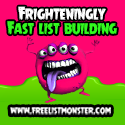
🚀 EZEngine Launch Rotator
This advertisement directs visitors to your EZEngine launch rotator, where they can explore the system and its different features.
Headline to enter:
Want to know how I’m growing my downline hands-free in this program? I’m getting SuperHotOpp sign-ups here every day. Want to know how? One page, dozens of downlines, regular commissions & hands-free traffic.
Banner image URL:
https://banners.ezadz.net/b/eze6b.jpg
Website destination URL:
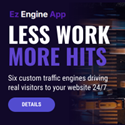
🤝 EZEngine Referral Link
This advertisement points directly to your EZEngine referral page, giving interested visitors another way to learn about the program.
Headline to enter:
Want to know how I’m growing my downline hands-free in this program? I’m getting SuperHotOpp sign-ups here every day. Want to know how? One page, dozens of downlines, regular commissions & hands-free traffic.
Banner image URL:
https://ezengine.app/images/banners/ezepng/eze-125×125-px.png
Website destination URL:
✏️ A Quick Note About Your Headline
The headline above is the wording supplied in our EZEngine setup instructions. If you are not yet receiving sign-ups every day, adjust that sentence to accurately reflect your own experience. Your advertising should always represent your actual results.
What Happens After the Two Ads Are Set Up?
Once both advertisements are saved, the basic SuperHotOpp configuration is complete. EZEngine can then use the two destinations as part of its ongoing promotional activity.
You don’t need to fill every possible advertising slot immediately. If you decide to upgrade later, you can return to SuperHotOpp and add additional banner-and-headline combinations for specific programs in the EZEngine portfolio or even your own offers.
SuperHotOpp Setup Complete!
Register, confirm your email, save your username in EZEngine, configure the two free ad slots, and you’re ready to move on to the next program in the system.
📋 Step-by-Step SuperHotOpp Setup Guide
Step 1: Register Your Account
Visit the SuperHotOpp registration page and create your account. Use a valid email address and choose your username and password.
Step 2: Confirm Your Email
Check your inbox and follow the confirmation instructions. Once your account is confirmed, log in to the member area.
Step 3: Save Your Username in EZEngine
Find your exact SuperHotOpp username and enter it into the appropriate SuperHotOpp setup field inside EZEngine. Be sure to use your username, not your complete referral URL.
Step 4: Create Your First Advertisement
Go to the advertising area and configure your first free slot using the EZEngine Launch Rotator headline, banner image, and destination link provided above.
Step 5: Create Your Second Advertisement
Use your second free slot for the EZEngine Referral Link. Enter the second banner image and the EZEngine referral destination, along with the supplied headline.
Step 6: Check Both Advertisements
Make sure the banners display correctly, the headlines look right, and both destination links open the intended pages. Once everything is saved, your basic setup is finished.
📣 Adding More Advertising Later
One nice thing about this arrangement is that the two free slots are just the starting point. If you decide to upgrade, you can revisit the advertising area and add more banner-and-headline combinations.
For example, you might eventually want separate advertisements for:
- Individual EZEngine programs you want to promote.
- Your own affiliate offers and landing pages.
- Other websites or business opportunities you are building.
- Specific campaigns where you want to test different headlines.
I’d start with the two advertisements we have already prepared. Get the basic system working first, then decide whether additional advertising capacity makes sense for your goals.
👍 What I Like About SuperHotOpp
- Advertising-focused platform: The service is built around displaying member promotions rather than being solely a referral program.
- Advertising minutes: The minutes system provides a way to build advertising exposure through platform activity and referrals.
- Two initial ad slots: The supplied setup uses the two slots available to free members, making it possible to get started without immediately purchasing an upgrade.
- Different advertising destinations: We can promote both the EZEngine launch rotator and the direct referral page.
- Additional advertising options: Members who upgrade can investigate additional banner and headline combinations.
- Potential affiliate commissions: The supplied compensation information describes both recurring subscription commissions and larger one-time lifetime-package commissions, subject to the current plan.
- EZEngine compatibility: The platform fits into our wider effort to automate promotional activity across multiple programs.
🤔 Things to Consider Before Upgrading
- Advertising takes testing: A rotating advertisement doesn’t guarantee clicks, leads, or sales.
- Commissions depend on purchases: Referrals must make qualifying purchases before upgrade commissions can be generated.
- Check the current commission plan: The exact 50% figure in our setup notes should be confirmed in the current member area.
- Compare upgrade costs: Additional advertising minutes may be useful, but you should compare their cost with the actual benefits you expect to use.
- Lifetime does not mean guaranteed permanence: Review the terms and understand the risks before paying for any lifetime package.
- Review the refund policy: The published terms restrict refunds once an account or advertising service has been accessed, with replacement described for defective or missing advertising service.
❓ Frequently Asked Questions
1. What is SuperHotOpp?
SuperHotOpp is an advertising and affiliate platform featuring a Smart Ad Rotator, advertising minutes, member advertisements, and upgrade options.
2. How do advertising minutes work?
Advertising minutes are used to provide exposure for member advertisements. The supplied EZEngine setup explains that showing your co-op link and referring new members can help generate minutes.
3. Can I join without purchasing an upgrade?
Yes. The published terms state that members can join and participate in the affiliate program without paying a membership fee. Paid advertising and upgrade options are separate.
4. How many advertisements can free members configure for EZEngine?
The supplied EZEngine setup instructions identify two advertising slots for free members. We use one for the EZEngine Launch Rotator and the other for the EZEngine Referral Link.
5. What information does EZEngine need?
EZEngine needs your exact SuperHotOpp username in its setup form. You then configure the two advertising slots inside SuperHotOpp using the headlines, banner images, and destination URLs supplied in this guide.
6. Does SuperHotOpp pay 50% commissions?
The supplied EZEngine program information describes 50% commissions on qualifying upgrades, including subscriptions and lifetime packages. However, the public terms do not independently confirm that exact rate. Check the current compensation plan before relying on it.
7. Should I purchase a lifetime upgrade?
That depends on the current price, the advertising minutes included, the other benefits, and how much you expect to use the platform. I prefer to investigate one-time options, but I would not purchase one without reviewing the current terms and deciding whether the cost makes sense.
8. Does EZEngine guarantee sign-ups or commissions?
No. EZEngine helps automate promotional activity, but it cannot guarantee that visitors will register, upgrade, or generate commissions. Results depend on actual activity and member decisions.
🏁 Our SuperHotOpp Review & Final Verdict
SuperHotOpp adds another advertising opportunity to the EZEngine system. Its Smart Ad Rotator, advertising-minutes approach, and affiliate program give members several things to explore beyond simply placing a banner and hoping somebody clicks it.
What I particularly like about the EZEngine setup is that we can get started with the two advertising slots available to free members. One promotes the EZEngine Launch Rotator, while the other directs visitors to the EZEngine referral page. That gives us two useful destinations without having to purchase additional advertising space just to complete the initial configuration.
The upgrade options are worth investigating if you intend to use the platform more extensively. Additional advertising minutes could be useful, and the supplied compensation information describes recurring and one-time commission opportunities. Just make sure you verify the current rates and package terms before spending money.
My approach would be to register, complete the two advertisements, enter the username in EZEngine, and let the system incorporate SuperHotOpp into the overall promotional strategy. There’s no need to rush into an upgrade before you’ve explored what the basic account offers.
Another advertising platform configured. Another part of the system working toward greater exposure. 🚀
Ready to Build Your Traffic Strategy?
SuperHotOpp is one part of a much bigger picture. Explore the other programs and strategies we’re using to build a more organized online advertising system.
Affiliate Disclosure: This review contains affiliate links. If you register or purchase through one of these links, I may receive a commission at no additional cost to you. I aim to describe the programs and setup processes as accurately as possible. Always review the current terms, compensation plan, advertising packages, and refund policy before making a purchase.
Program Terms: You can review the official SuperHotOpp terms and policies before joining.
